Overview
What can four months of designing within a system teach you?
TL;DR
During my four-month summer 2026 internship at Descartes, I worked across design systems, product design, AI, and UX research.
I contributed to the OneFace (Descartes’ Design System) style refresh, built and shipped a new DesignMD prototyping package, designed parts of the AI Assistant, and helped improve OneFace documentation and team processes.
The projects varied in scale, but shared a common thread: learning how to design within a large system and finding ways to make that system work better for everyone.
What I worked on:
- DesignMD — Built and shipped an AI prototyping package for OneFace
- Style Refresh — Redesigned and implemented OneFace input controls
- UX Research — AI guidelines, team processes, and efficiency
- OneFace — Designed documentation and knowledge experiences
- AI Assistant — Conversation selector and complex content expansion
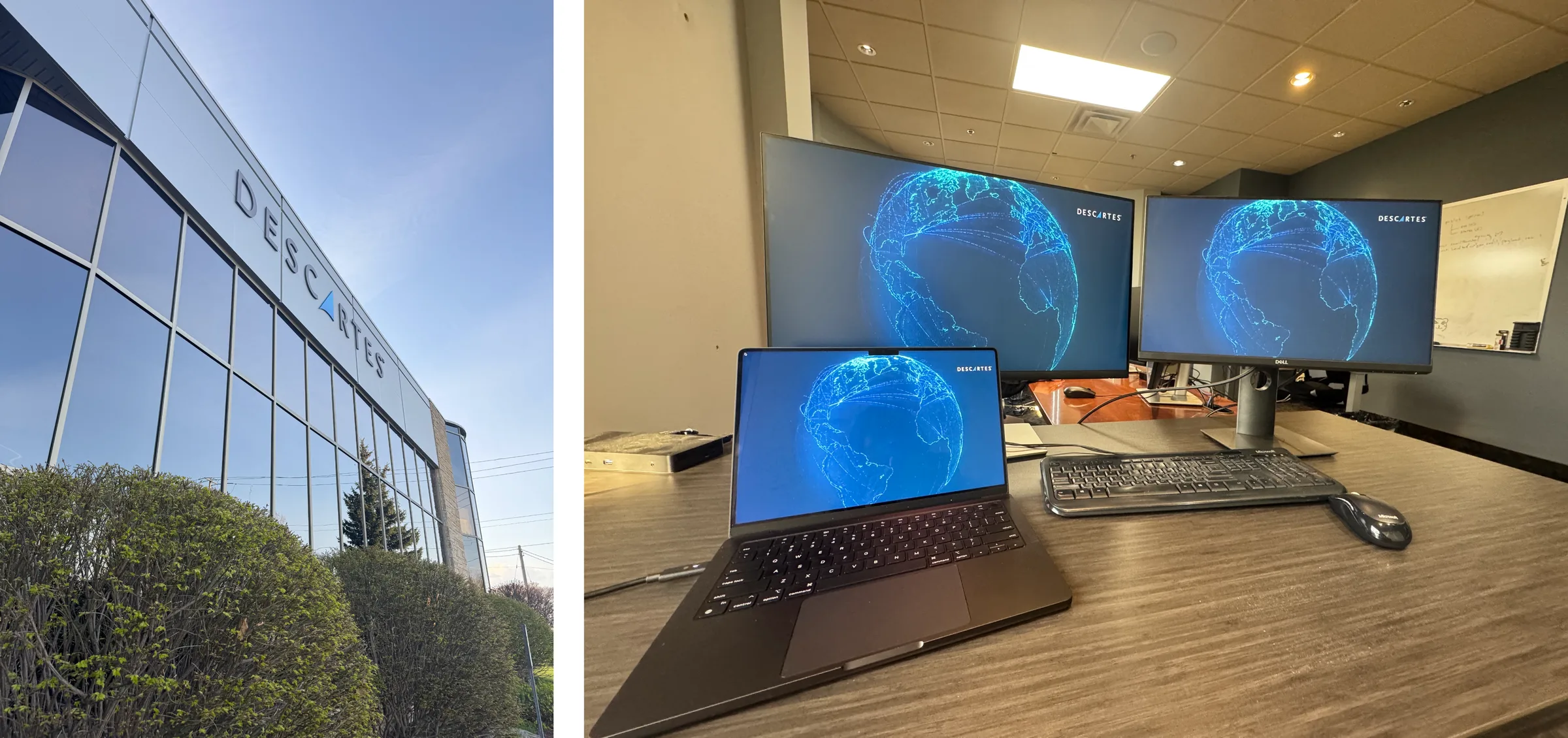
My office and desk setup!
Designing in Systems
Learning to design beyond the screen.
At Descartes, I wasn’t designing in isolation.
Components connected to design systems. Design systems connected to products. Products had to work within technical and customer constraints. And brand decisions needed to scale across an entire organization.
Over four months, I worked at different layers of that ecosystem, sometimes refining an existing component, sometimes designing a new product, and sometimes building the infrastructure that helped other people design.
That became the biggest theme of my internship:
Designing for systems means thinking about what happens beyond the screen.
Building DesignMD
Making OneFace accessible through AI.
One of my biggest projects started with a gap:
What if a product manager or business owner wanted to prototype a Descartes application, but didn't know Figma or have access to the OneFace design system?
AI made it possible for them to generate working prototypes. But without the right context, those prototypes could easily drift away from the actual design system: wrong components, inconsistent layouts, incorrect styling, icons that didn’t belong. I built DesignMD to bridge that gap.
Preview of the Design MD File.
Encoding a design system for AI.
DesignMD is a package of four files that can be provided to an AI assistant to generate interactive HTML prototypes that follow the OneFace brand. Together, they give an AI agent enough context to create prototypes that feel much closer to real Descartes products.
I owned the project end-to-end. I started by researching how DESIGN.md files were being used in the industry, then explored how that format could work for OneFace. Using VS Code, Figma exports, GitHub Copilot, and later Claude, I iterated on the structure of the package and tested how different AI agents interpreted it.
I also incorporated existing OneFace icon guidance and continuously refined the package through internal testing and feedback. By the end of my term, DesignMD v1 was published internally for company-wide use. It was super exciting to be able to ship a solo-made product!
The project taught me something new about design systems:
Sometimes the best way to make a system more accessible is to build a new interface to the system itself.
Refreshing the System
Modernizing the building blocks.
I also worked on the OneFace Style Refresh, focusing primarily on input controls. The goal was to modernize OneFace’s visual language, improve accessibility, and bring components closer to an existing Syncfusion UI Kit while preserving the character of OneFace.
I explored and updated a wide range of input controls, including text inputs, dropdowns, combo boxes, checkboxes, radio buttons, date controls, and more.
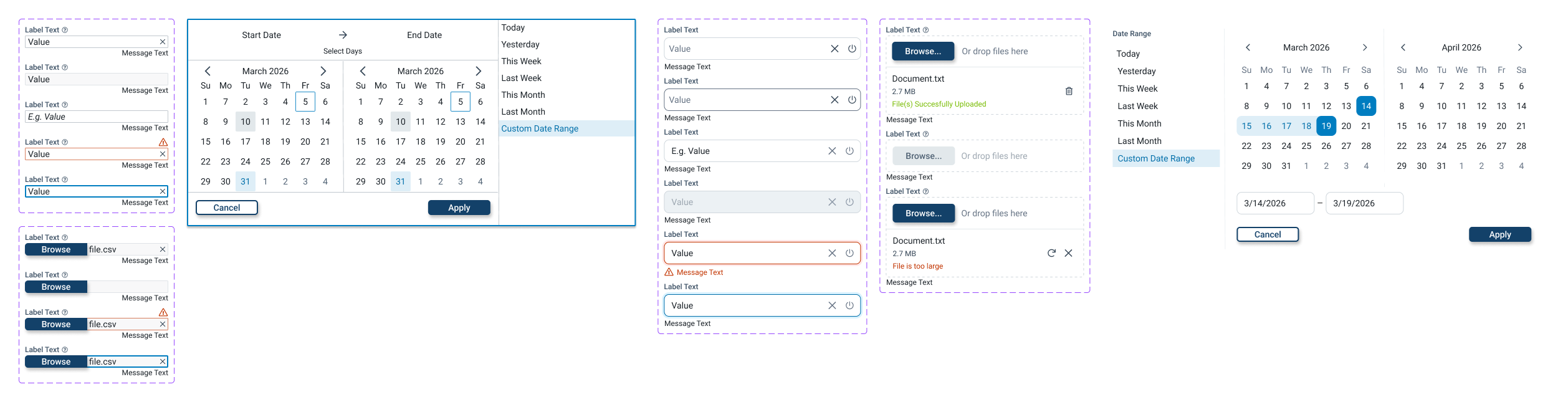
Sample of old vs. new input controls with the style refresh.
Small changes, system-wide impact.
A major focus was spacing and density. I explored how increased padding and updated spacing could make controls feel more modern and usable, while also considering compact versus expanded experiences. Because these components are reused across products, I couldn’t optimize for one screen. Every decision needed to be scalable.
The work also surfaced a larger systems question: whether density should be handled through theming or variables, since compact layouts may require changes to spacing, padding, and radii without changing the entire visual theme.
Making OneFace Easier to Use
From design system to documentation.
I also worked on the OneFace Documentation Home, a central experience for internal teams to learn about and adopt OneFace. The goal was to make resources easier to discover rather than expecting people to already know where documentation, tools, platforms, and support lived. I designed the entire experience, from the Documentation and Knowledge pages to the Support pages, creating a clearer entry point into the system.
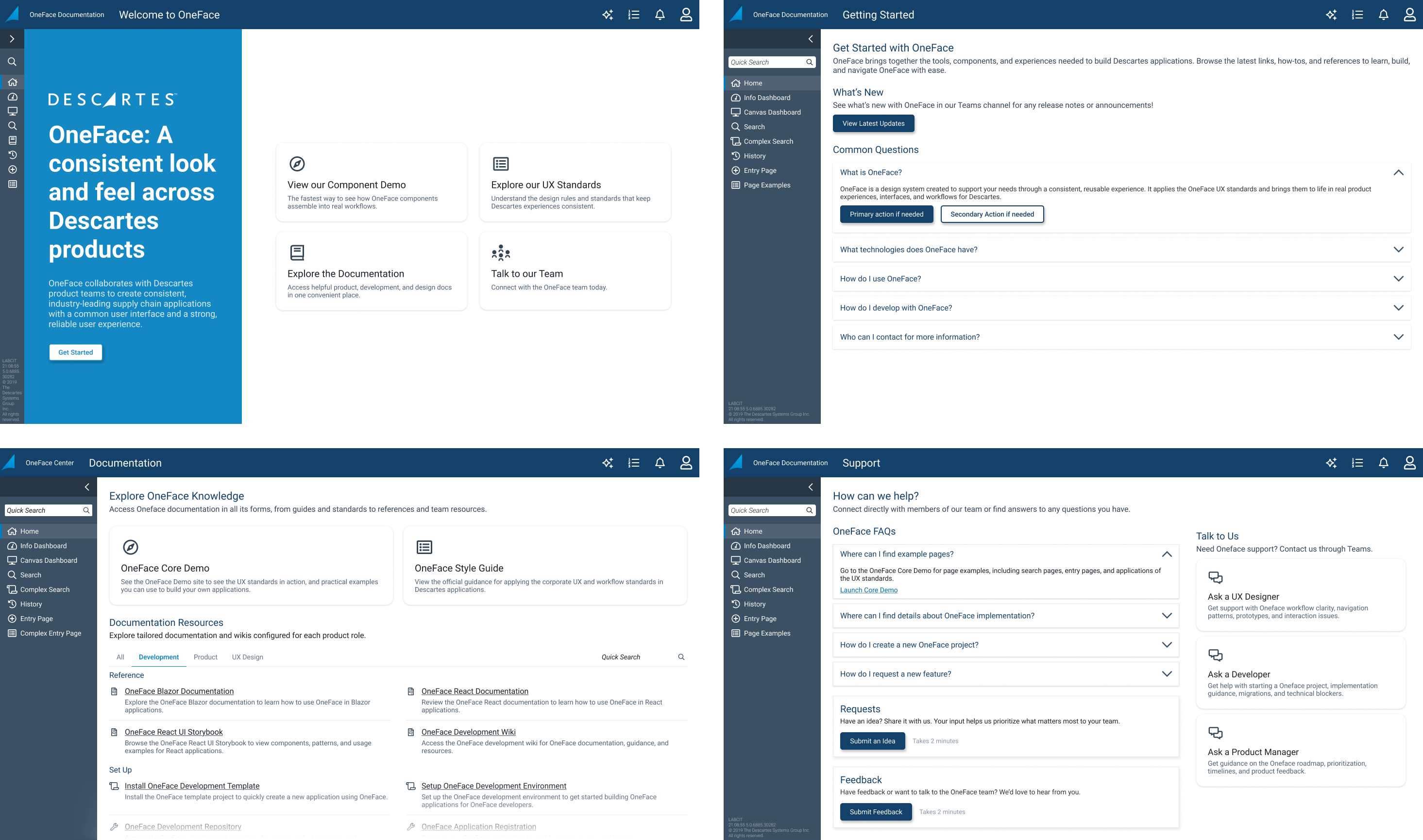
Finalized Pages of the OneFace Documentation Home
Designing for AI
When content doesn't have a fixed shape.
I contributed to the AI Assistant through two major areas: the conversation selector and complex content expansion. A response from an AI Assistant might be text, a graph, an image, or something much larger than the original response container. I explored how these different outputs could expand while preserving context and keeping the experience usable.
This pushed me to think about design as more than static layouts, rather a system of possible states.

Finalized Screen States of the Conversation Selector
Also Along the Way
A few more things I contributed over four months.
Alongside my larger projects, I contributed to a range of smaller initiatives across the UX team, from redesigning the NPS Survey component across its different states, to exploring a refreshed Descartes login experience with glassmorphism and light/dark modes. I also helped maintain and publish the OneFace Figma Style Guide through bi-weekly releases, updating documentation, screenshots, components, and new patterns like the AI Assistant. Outside of product work, I contributed to UX research around AI checklists, when to introduce AI into products, team processes, and improving design efficiency.
Together, these projects gave me a chance to see how design, systems, research, and process all connect.
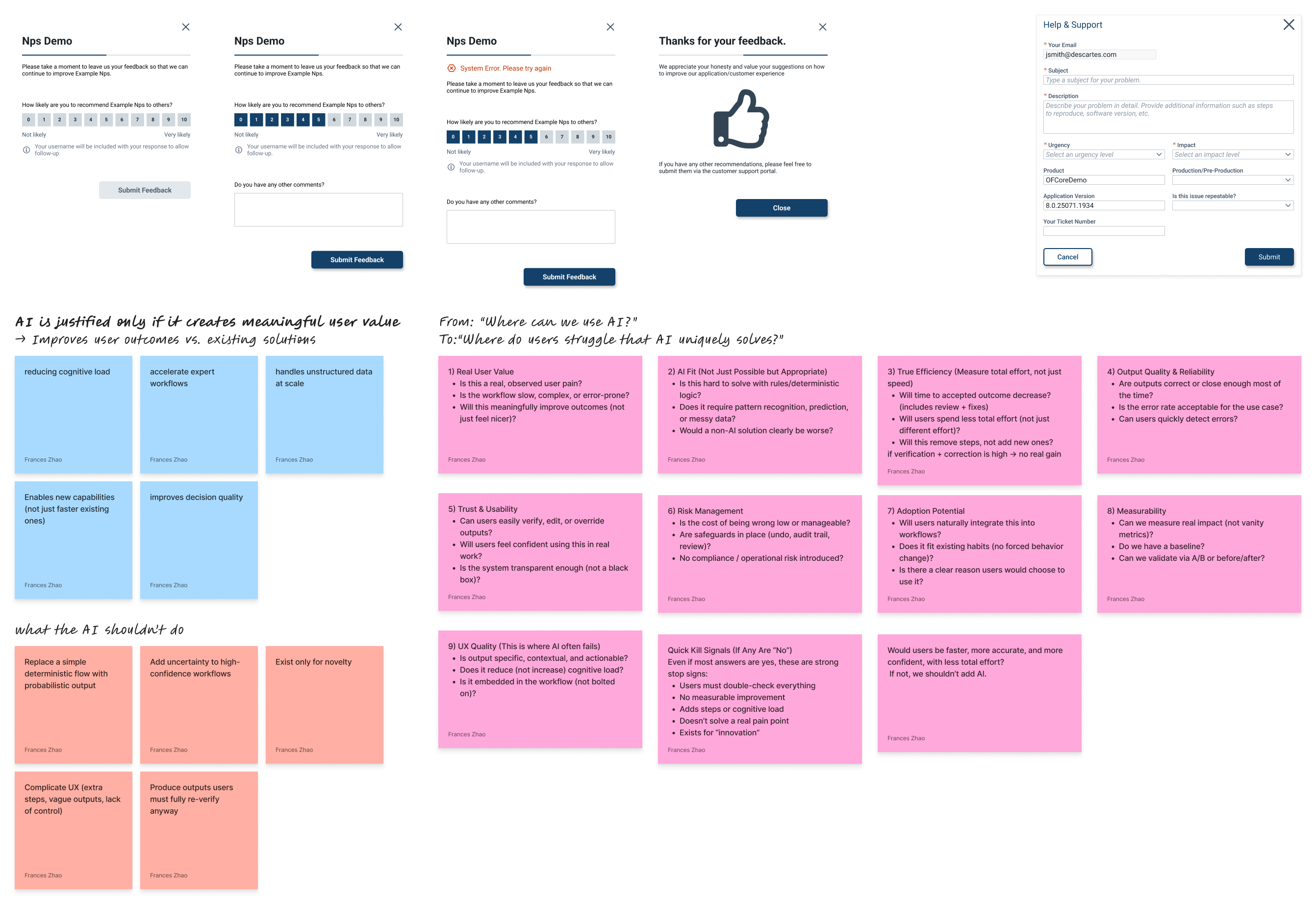
Some snapshots of some of the miscellaneous work I did throughout the term!
Key Takeaways
Design lessons that stuck with me.
01. Systems thinking changes how you design.
I learned to look beyond the individual screen and consider the components, products, people, and processes connected to it.
02. Design systems live beyond Figma.
Building DesignMD showed me that a design system can be encoded into tools and workflows, making it accessible to people who might never open the original design file.
03. Designing for scale means designing for change.
Whether I was working on theming, reusable components, or DesignMD, I learned to consider how a design would evolve after I handed it off.
04. I learned to take ownership.
I came to Descartes expecting to contribute to existing projects. I left having shipped a product of my own while contributing to systems used across the organization.
Four Months at Descartes
The people behind the work.
Four months of an internship isn’t just four months of Figma files.
There were team lunches, office days, co-op events, and a very important Minions movie with the other interns. Getting to know the people around me was just as important as learning the tools and processes.
Some of my favourite lessons happened in design critiques and project meetings! Others happened over lunch, discussing life. I am so grateful to the entire team for giving me this opportunity to contribute my work and learn so many skills that I will carry on with me in my future work and journey through life.